Image Functions
First, open DrRacket and create a new file. Save the file in the folder where you save your assignments and call it image-functions.rkt.
At the top of the file, add these lines:
#lang htdp/bsl
(require picturing-programs)
Here’s an example function called three-squares.
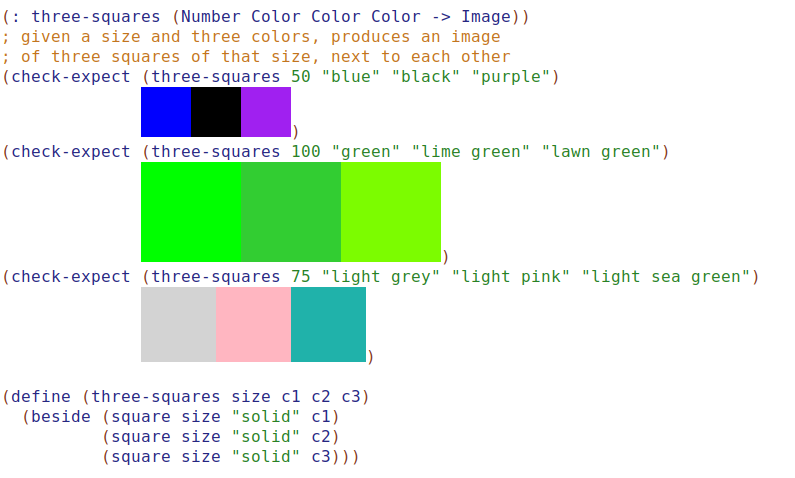
Following the same pattern used for the three-squares function, write these functions. I’ve given you the names of the functions and some test cases.
You’ll do these using pair programming. As the navigator, make sure you tell the driver to do the following steps in order:
- Signature
- Header
- Purpose
- Test Cases
- Body
- Run (and cross your fingers)
We’ll switch roles every few minutes.
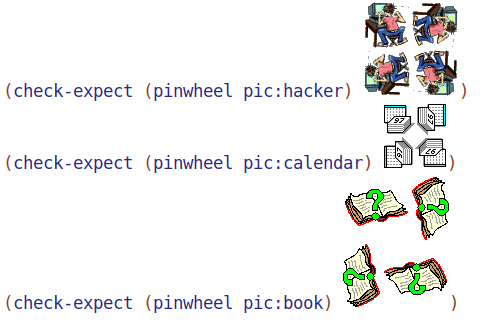
- Design the function
pinwheel.
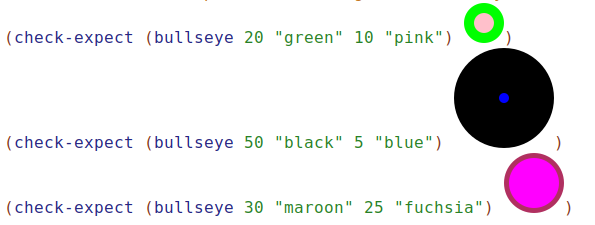
- Design the function
bullseye.
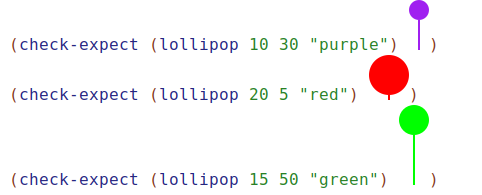
- Design the funcion
lollipop. For the stick of the lollipop, use a rectangle that is two pixels wide.
- Design the function
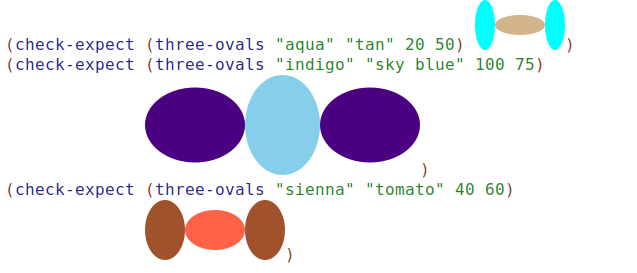
three-ovals. The two outer ovals are the same color, and the width and height of the outside ovals are the height and width of the inside oval. (You’ll probably want to use the functionellipse.)
- Design the funcion
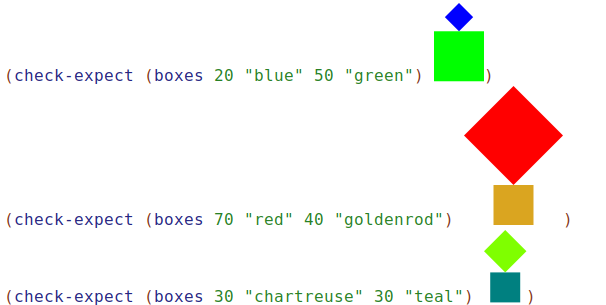
boxes. The top box is tilted on top of the bottom box.
- Design your own function using images. When you’ve finished, trade functions with another pair of students. Give them your purpose statement and test cases, and see if they can produce the function. You do the same for their function.