Image Functions
First, open DrRacket and create a new file. Save the file in the folder where you save your assignments and call it imageFunctions.rkt.
At the top of the file, add these lines:
#lang htdp/bsl
(require "apcsp.rkt")
(require picturing-programs)
Download the file apcsp.rkt and save it in the same folder as your imageFunctions.rkt file. Make sure you’ve saved your file as imageFunctions.rkt (even if it’s empty) and the apcsp.rkt file is in the same folder, otherwise you’ll get errors.
Here’s an example function called three-squares.
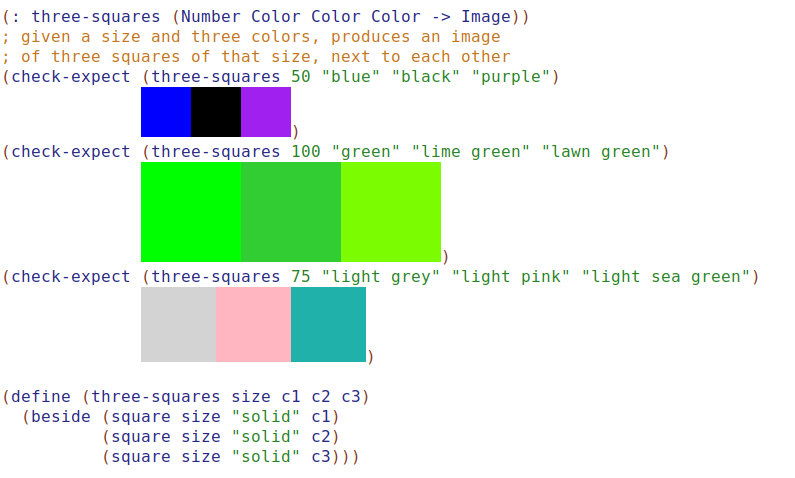
Following the same pattern used for the three-squares function, write these functions. I’ve given you the names of the functions and some test cases.
- Design the function
pinwheel.
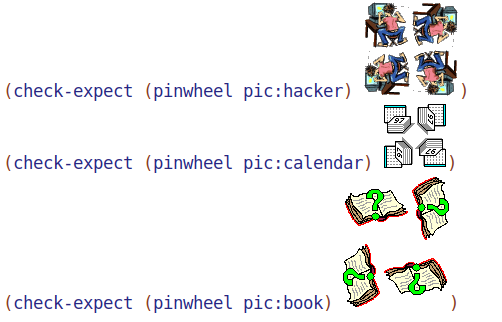
- Design the function
bullseye.
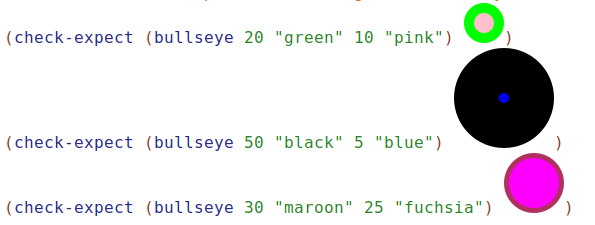
- Design the funcion
lollipop. For the stick of the lollipop, use a rectangle that is two pixels wide.
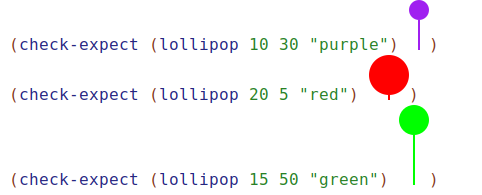
- Design the funcion
three-ovals. The two outer ovals are the same color, and the width and height of the outside ovals are the height and width of the inside oval.
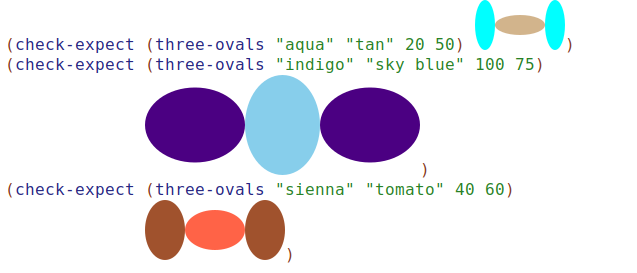
- Design the funcion
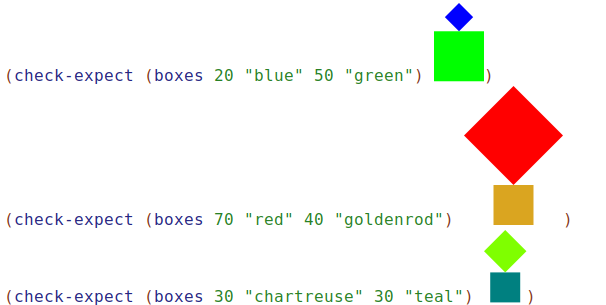
boxes. The top box is tilted on top of the bottom box.